- Create a Digital Planner to Sell: Your Effortless Guide
- Understanding the Anatomy of a Best-Selling Digital Planner
- Your Step-by-Step Guide to Create a Digital Planner to Sell
- 1. Niche Identification and Market Research
- 2. Choosing Your Design Toolkit
- 3. Structuring and Designing Your Planner
- 4. Implementing Interactive Hyperlinks
- 5. Exporting, Testing, and Refining
- Taking Your Planner to Market
- Ready to Launch Your Digital Product Empire?
Create a Digital Planner to Sell: Your Effortless Guide
To create a digital planner to sell is to tap into one of the most dynamic and profitable niches in the digital product landscape. The demand for tools that blend organization with digital convenience has exploded, creating a fertile ground for entrepreneurs and creators. Gone are the days of bulky paper agendas; today’s consumers—from students and professionals to busy parents and startup founders—crave interactive, aesthetically pleasing planners that live on their tablets and devices. This isn’t just a fleeting trend; it’s a fundamental shift in how people manage their lives, and it presents a remarkable business opportunity with low overhead and high-profit potential.
Understanding the Anatomy of a Best-Selling Digital Planner
Before diving into the design process, it’s crucial to understand what separates a planner that languishes in an Etsy store from one that becomes a best-seller. It boils down to three core elements: functionality, aesthetics, and user experience.
Purpose-Driven Functionality: A successful planner solves a specific problem. A generic “daily planner” is easily lost in a saturated market. The real value lies in specialization. Consider planners for wedding planning, academic thesis writing, content creation, personal finance management, or fitness tracking. Each layout, section, and feature should be meticulously designed to serve the end-user’s unique goals.
Compelling Aesthetics: A digital planner is a personal item, and its design should be a source of inspiration, not frustration. This involves a cohesive color palette, legible and stylish fonts, and a clean, uncluttered layout. The visual appeal is often the first thing that attracts a buyer, making high-quality design a non-negotiable factor.
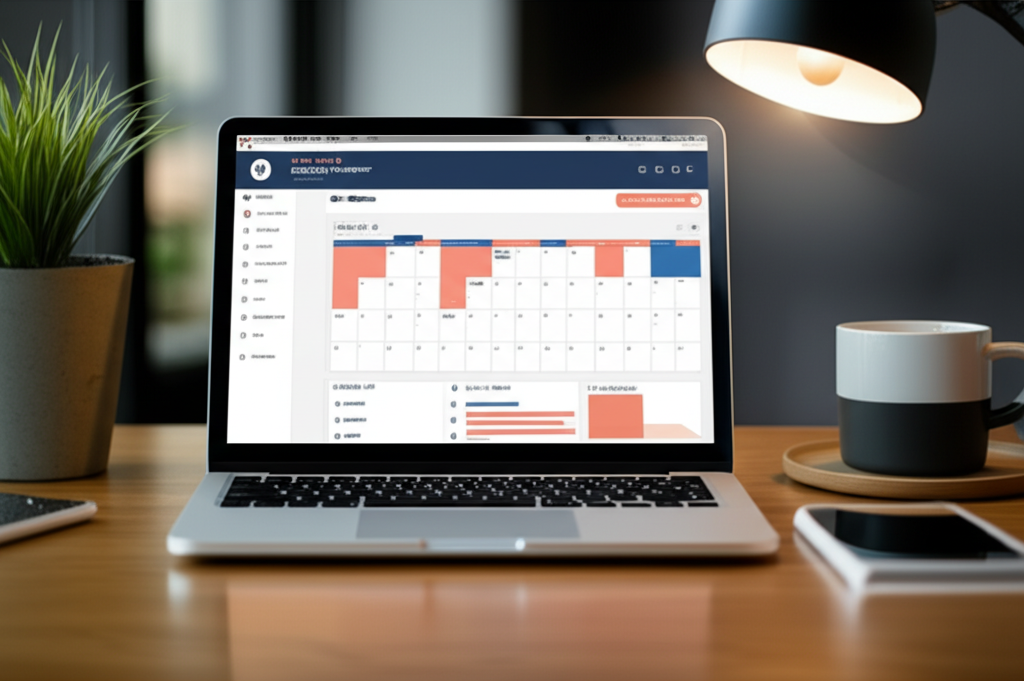
Seamless User Experience (UX): This is the “digital” magic. A planner must be intuitively navigable. This is achieved through a comprehensive system of hyperlinks. Think clickable tabs for months, a home button on every page, and an interactive index that allows users to jump to any section instantly. The goal is to replicate—and improve upon—the ease of flipping through a physical planner. According to a Google report on user experience, a seamless interface is critical for user retention, a principle that applies directly to digital products.
Your Step-by-Step Guide to Create a Digital Planner to Sell
Building a premium digital planner requires a structured approach. Following a clear process ensures you cover all the bases, from initial concept to a polished, market-ready product.
1. Niche Identification and Market Research
The first step is to define your target audience with precision. Who are you creating this for? A planner for a law student will have vastly different requirements than one for a freelance graphic designer. Conduct research on platforms like Etsy, Pinterest, and Reddit to identify gaps in the market. Look at what’s selling well, read customer reviews to understand pain points, and find an underserved niche you can cater to.
2. Choosing Your Design Toolkit
You don’t need to be a professional graphic designer to create a beautiful planner. Several tools can help you bring your vision to life:
Canva: An excellent entry point for beginners. Its drag-and-drop interface, vast library of elements, and template options make it easy to design layouts quickly.
Keynote or PowerPoint: These presentation tools are surprisingly powerful for creating interactive PDFs. Their built-in hyperlinking features are robust and intuitive, making them a favorite among many planner creators.
Adobe InDesign & Affinity Publisher: For those seeking ultimate control and professional-grade features, these desktop publishing applications are the industry standard. They offer advanced typographic controls, master page functionality, and precise layout management.
3. Structuring and Designing Your Planner
Start by mapping out the planner’s structure. What sections will it include? A typical structure might involve:
Cover Page
Index/Homepage with links to all major sections
Yearly Overview & Key Dates
12 Monthly Spreads
52 Weekly Spreads
365 Daily Pages
Specialized Sections (e.g., Goal Trackers, Budget Sheets, Project Planners)
Note Pages (Lined, Dotted, Grid, Blank)
Once the structure is set, begin designing the master pages or templates for each layout. This ensures consistency throughout the document. Focus on creating a clean visual hierarchy that guides the user’s eye and makes the planner easy to use.
4. Implementing Interactive Hyperlinks
This is the most critical technical step. Every tab, button, date, and index entry must be linked to its corresponding page. In your chosen software, you will manually create links from one object (like a text box or shape representing a tab) to a specific page within the document. This process is meticulous but essential. A planner with broken or missing links will lead to negative reviews and refunds.
5. Exporting, Testing, and Refining
Once all pages are designed and links are in place, export the file as an “Interactive PDF.” Do not simply save it as a standard PDF, as this may strip out the hyperlink functionality. The final and most important step is rigorous testing. Open the planner in popular note-taking apps like GoodNotes, Notability, or Xodo on an iPad or Android tablet. Click every single link to ensure it works as intended.
Taking Your Planner to Market
Creating the product is only half the battle. You need a strategy to sell it.
Your primary options are established marketplaces or your own e-commerce store. Etsy is the go-to for many creators due to its massive built-in audience of buyers seeking unique digital goods. However, building your own storefront with a platform like Shopify or WooCommerce gives you complete brand control and higher profit margins. A professionally designed website signals authority and provides a dedicated space to showcase your products and build a customer community. A strong online presence is key, and if you’re serious about building a brand, investing in professional web design services can provide a significant return.
Your product listings must be optimized to convert. This means:
High-Quality Mockups: Use realistic mockups that show your planner on a tablet, often in a lifestyle setting.
Descriptive Copy: Clearly explain the planner’s features, benefits, and who it’s for. Use keywords your target audience would search for.
* Video Demonstrations: A short video showing the planner in action, highlighting the clickable tabs and smooth navigation, is one of the most powerful sales tools you can have.
Ready to Launch Your Digital Product Empire?
Creating a digital planner is an accessible entry into the world of e-commerce, offering a path to passive income and creative fulfillment. The key is to move beyond generic templates and build a high-value, niche-specific tool that genuinely helps your customers. By focusing on superior functionality, beautiful design, and a flawless user experience, you can create a product that stands out.
Building a brand around your products is the ultimate goal. A professional website acts as your digital headquarters—a place to sell directly, build an email list, and establish yourself as an expert in your niche. If you’re ready to turn your digital planner idea into a thriving business, establishing a powerful online presence is your next critical step. To build a platform that not only looks professional but is engineered to convert visitors into loyal customers, consider how expert web design can elevate your brand and accelerate your growth.