- Freelance Invoice Template: More Than Just a Bill
- The Anatomy of a Professional Freelance Invoice
- Must-Have Information for Every Invoice
- The Details That Set You Apart
- Why a Standardized Freelance Invoice Template is a Game-Changer
- Choosing the Right Format: Word, Excel, or Invoicing Software?
- Best Practices for Getting Your Invoices Paid on Time
- Elevate Your Invoicing Strategy
Freelance Invoice Template: More Than Just a Bill
A freelance invoice template is one of the most critical operational tools in your arsenal, yet it’s often treated as an afterthought. It’s far more than a simple request for payment; it is a direct reflection of your professionalism, a legal document for your records, and a key driver of your cash flow. Forgetting a crucial detail, using an unprofessional format, or failing to set clear expectations can lead to delayed payments, confused clients, and unnecessary administrative headaches that pull you away from the work you actually want to be doing.
Getting your invoicing process right from the start establishes a professional boundary and communicates that you are a serious business owner. It’s the final touchpoint in a project, and it should reinforce the quality and reliability you’ve demonstrated all along. A sloppy, unclear invoice can undermine an otherwise excellent client experience.
The Anatomy of a Professional Freelance Invoice
Every invoice you send should be clear, concise, and contain all the information necessary for your client to process the payment without a single follow-up email. A disorganized document only creates friction. To avoid this, ensure your template includes these non-negotiable elements.
Must-Have Information for Every Invoice
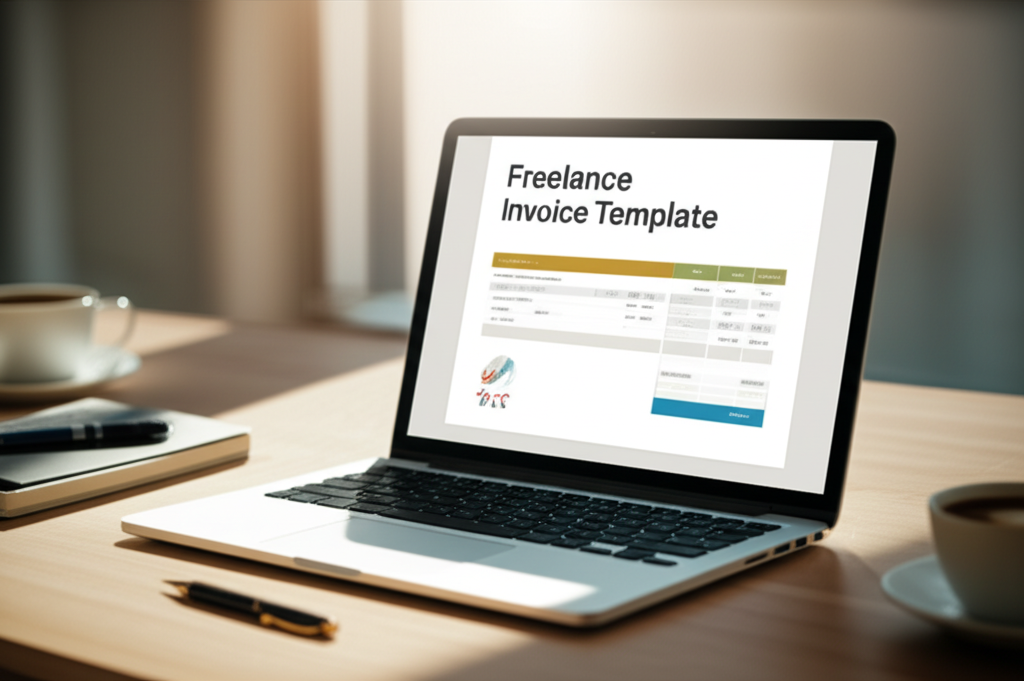
Your Business Identity: Clearly display your name or business name, address, phone number, and email. If you have a logo, it should be prominently placed at the top.
Client Information: The full name and address of the client or company you are billing.
Unique Invoice Number: This is crucial for tracking and record-keeping. A simple sequential system (e.g., 001, 002) or one that includes the year (e.g., 2024-001) works perfectly. Never send two invoices with the same number.
Key Dates: Include the Invoice Date (when you sent it) and the Payment Due Date. Be explicit—don’t leave the client guessing when you expect to be paid.
Itemized Services: This is where you eliminate all ambiguity. Break down exactly what the client is paying for. List each service or deliverable on a separate line with a brief description, the rate (per hour, per project, or per item), and the quantity.
The Financials: Show a subtotal for all services, add any applicable taxes (like VAT or GST) as a separate line item, and finish with a bold, clear Total Amount Due.
The Details That Set You Apart
Beyond the basics, a few extra details can elevate your invoice from a simple bill to a professional business document.
Payment Terms: Don’t assume your client knows your terms. State them clearly. Common terms include “Due on receipt,” “Net 15” (due in 15 days), or “Net 30.” This simple line manages expectations and provides a clear timeline.
Accepted Payment Methods: Make it easy for clients to pay you. List the methods you accept, such as bank transfer (include your account details), Stripe, PayPal, or Wise. The fewer obstacles to payment, the faster you’ll get paid.
A Personal Note: A simple “Thank you for your business!” or “It was a pleasure working with you on this project” adds a human touch and strengthens the client relationship.
Why a Standardized Freelance Invoice Template is a Game-Changer
Relying on a consistent, professional freelance invoice template isn’t about being rigid; it’s about being smart. It streamlines your operations and reinforces your brand at every turn.
Consistency and Professionalism: When every document a client receives from you—from proposal to final invoice—has a consistent look and feel, it builds trust and brand recognition. This level of professionalism is just as important as your online presence. A polished invoice sends the same message as a well-crafted custom web design: that you are meticulous, organized, and invested in quality.
Time Savings: Creating an invoice from scratch for every project is an inefficient use of your valuable time. A template allows you to simply duplicate the file, update the client details and line items, and send it off in minutes.
Error Reduction: A pre-formatted template with all the necessary fields acts as a checklist. It significantly reduces the chance of forgetting a crucial piece of information like the due date or your own contact details, preventing the back-and-forth emails that delay payment.
Improved Cash Flow: According to industry reports, a significant percentage of freelancers struggle with late or non-paying clients. A clear, professional invoice with explicit terms is your first line of defense. When clients have all the information they need presented clearly, the payment process is smoother and faster.
Legal and Tax Compliance: Your invoices are essential business records. The IRS and other tax authorities require detailed documentation of your income. Properly formatted and sequentially numbered invoices provide a clean, auditable trail for your business finances, making tax season far less stressful. As the IRS states, maintaining thorough records is fundamental to any business.
Choosing the Right Format: Word, Excel, or Invoicing Software?
You have several options for creating your freelance invoice template, each with its own pros and cons.
Word/Google Docs: Highly accessible and easy to use. You can create a clean design, but you’ll have to calculate totals manually, which leaves room for human error.
Excel/Google Sheets: The major advantage here is automatic calculations. You can set up formulas to handle subtotals, taxes, and totals, reducing the risk of math mistakes. However, designing a visually appealing invoice can be more challenging.
Dedicated Invoicing Software: Platforms like Wave, QuickBooks, or FreshBooks are the gold standard. They automate the entire process, from creating and sending invoices to tracking payments and sending automatic reminders for overdue bills. Many integrate with payment gateways, allowing clients to pay directly from the invoice.
Best Practices for Getting Your Invoices Paid on Time
The template is just one part of the equation. Your process and communication are what truly ensure prompt payment.
1. Discuss Terms Upfront: Your payment terms should be clearly outlined in your initial contract or statement of work. The invoice should simply be a formal restatement of what has already been agreed upon.
2. Invoice Promptly: Send your invoice as soon as the project is complete or the milestone is reached. The longer you wait, the less urgent the payment becomes in the client’s mind.
3. Send Polite Reminders: If a due date passes, don’t hesitate to follow up. A polite email reminder the day after it’s due is perfectly acceptable and professional.
4. Offer a Late Fee Clause: Including a clause in your contract about a modest late fee for overdue payments can be a powerful incentive for clients to pay on time.
Elevate Your Invoicing Strategy
Your invoice is more than just a document; it’s a vital part of your client communication and brand strategy. It signals the end of a successful project and sets the stage for future collaboration. Ensuring it is as professional and efficient as the work you deliver is a non-negotiable part of running a successful freelance business.
If you’re taking the time to refine operational details like your invoicing process, you understand the importance of a cohesive and professional brand presence. Every touchpoint matters. If you’re ready to align every aspect of your business—from your documents to your digital footprint—with a clear strategy for growth, it may be time for an expert consultation. Contact The Rank Raptor to explore how a powerful brand and marketing strategy can transform your client relationships and your bottom line.